Getting Started in Draw a Flag!
Join Meow Forge's flag duel, learn the lobby, and survive your first accuracy match.
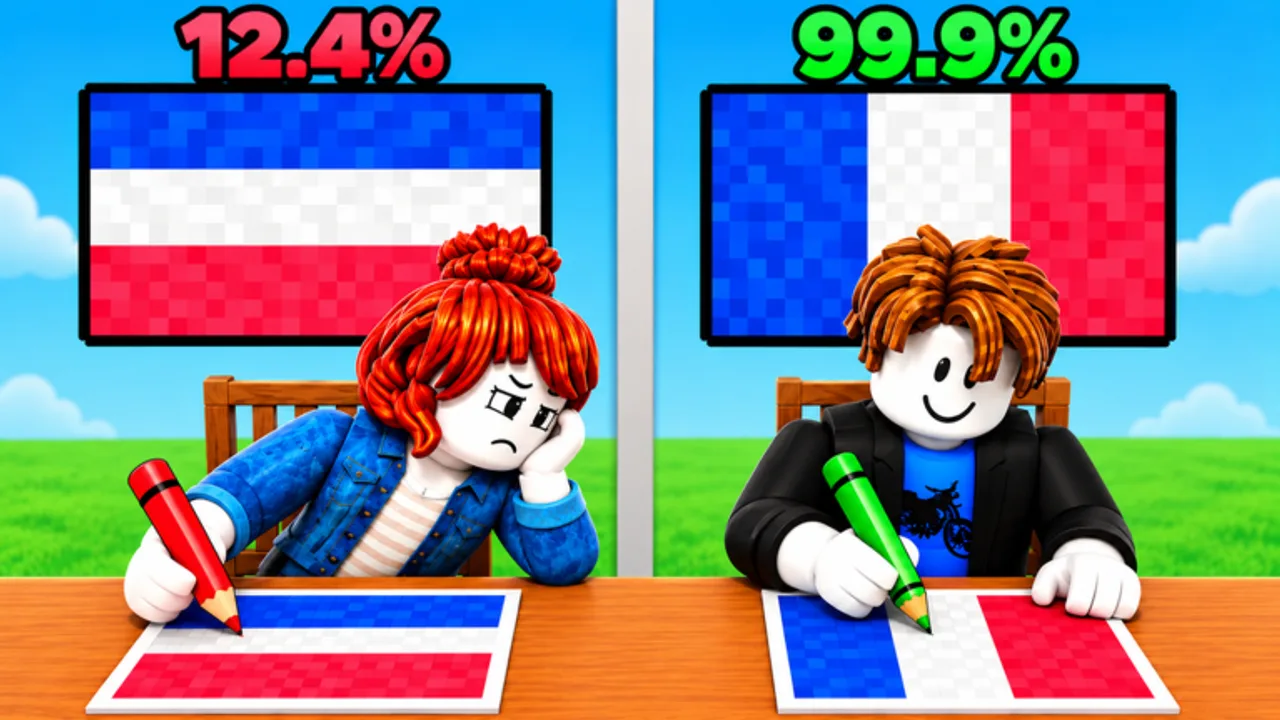
Draw a Flag! is a Party & Casual Roblox experience by Meow Forge where you recreate a country’s flag on a pixel canvas and try to outscore your opponent on accuracy. The official place launched on 2026-10-10, supports servers of about 25 players, and has grown into a multi-million-visit hit with hundreds of thousands of favorites. This beginner guide walks you from pressing Play to understanding your first duel result—and what to do after that so you improve instead of guessing.
Join the game and land in the lobby
Open Roblox and search for Draw a Flag or go directly to the place page hosted by Meow Forge. Confirm you are joining the correct experience (universe tied to Meow Forge / sammmyxi’s group) so you do not land in a lookalike. Once you load in, take a few seconds to orient: party games often keep a shared lobby while matches pair or rotate players into drawing rounds. Note any on-screen prompts for ready status, queue timers, or how opponents are selected. Server size means the lobby can feel busy—stay near UI elements rather than wandering if you are about to queue.
If the experience offers a short tutorial or tip cards, complete them. They usually introduce the canvas, palette, and submit button. Skipping them costs more time later when a timer is already ticking.
Match flow: from prompt to score
A typical round follows a clear loop:
- Prompt — The game names a country (or shows the target flag context). Memorize the layout before you touch the canvas: stripe count, orientation, dominant colors, and whether there is a canton, cross, disc, star field, or emblem.
- Draw — Use pixel tools to rebuild the flag. Work large shapes first, then details. Leave time to fix obvious mistakes.
- Submit — Lock your canvas before the timer ends. An unfinished scramble usually scores worse than a slightly simplified but complete flag.
- Compare — Your drawing is graded against the real design. Higher accuracy wins the duel against your opponent.
Watch the embedded gameplay video mid-guide for real pacing: how long strong players spend blocking colors versus polishing edges. Copy the calm rhythm, not every pixel.
Your first duel checklist
Treat match one as a systems check, not a ranking climb.
- Confirm you can switch colors quickly and see which swatch is active.
- Test brush size if the UI exposes it; a larger brush fills backgrounds faster.
- Try fill or bucket tools for big regions so you are not painting every pixel by hand.
- Find undo and clear before you need them under pressure.
- Locate submit and know whether you can still edit after a soft confirm.
When the country name appears, say the flag structure out loud if you can (“horizontal tricolor, blue white red”). That mental label reduces mirrored or swapped-stripe mistakes. If the flag is one you barely know, still lay the background and main bands—empty canvas scores poorly against any colored design.
Reading the UI without panic
Drawing UIs on Roblox usually cluster tools along an edge or bottom bar: brush, eraser or clear, fill, color picker, undo, and submit. Keep your eyes on three zones: the prompt, the canvas, and the timer. Ignore lobby chat noise during the draw window. If you play on mobile, enlarge your grip so thumbs do not constantly hit undo by accident; on PC, keep the mouse over the palette when you are about to change colors so you do not waste strokes.
For a deeper tool map across devices, open the Controls guide after this page. For technique, continue with How to Draw Flags.
How accuracy scoring works at a glance
Accuracy compares your pixels (or grid cells) to the real flag. Layout mistakes—wrong stripe order, flipped sides, missing canton—hurt more than a slightly soft edge. Wrong shades also cost points when the palette offers close reds or blues. A complete, recognizable flag with correct proportions usually beats a half-finished masterpiece. After each match, note whether you lost on structure, color, or time. That single note tells you which guide to open next: structure → drawing method, color → Accuracy Tips, time → How to Win.
What to do after your first match
- Replay easy flags — If you just drew a simple bicolor or tricolor, queue again and aim for cleaner edges and equal band widths.
- Build a mental flashcard set — Write down five flags you missed and look them up between sessions so the next prompt is not a surprise.
- Check difficulty context — Browse the Tier List and the easiest flags / hardest flags pages so you know which prompts deserve a simplified plan.
- Stay honest about codes — Visit Codes for redemption steps. As of November 2026 we have not verified active Draw a Flag! promo codes; treat random social posts carefully and wait for confirmed lists.
- Track updates — Skim Updates after patches in case tools or scoring change.
- Optional tools awareness — Scripts pages exist for Roblox communities, but drawing skill—not automation—wins accuracy duels. Prefer practice.
- Community context — Players covers Meow Forge and related creator notes when you want background beyond mechanics.
First-hour goals
By the end of your first hour you should: join without confusion, finish at least three submitted flags, know where undo and submit live, and have a short list of flags to memorize. You do not need perfect stars or coats of arms yet. You need repeatable layout, correct color order, and the habit of submitting on time.
Return to the Guides Hub whenever you need the full map. When you are ready to push scores, stack How to Draw Flags, Accuracy Tips, and How to Win in that order. Draw a Flag! rewards players who review one mistake per match—start that habit today.
Frequently Asked Questions
Quick answers for Draw a Flag players.
How do I start playing Draw a Flag! on Roblox?
Open the official Meow Forge place from Roblox search or the game link, join a server, complete any tip cards, then queue into a drawing round when the lobby is ready.
What decides the winner of a duel?
Each player draws the prompted country's flag; the higher accuracy score versus the real design wins. Completing a correct layout usually beats an unfinished detailed attempt.
Should I clear the canvas if I mess up early?
Use undo for small mistakes. Clear only when the whole layout is wrong and you still have enough time to rebuild the main shapes before submit.
Are there beginner codes I should redeem first?
As of November 2026 no verified active promo codes are listed. Check the Codes hub for honest status and redemption steps if Meow Forge releases any later.
What should I practice after my first few matches?
Memorize flags you missed, drill equal stripe widths, and read Controls plus How to Draw Flags so tool use and shape-first habits become automatic.